Product presentation
Shopbox Bookings
Table booking for Shopbox restaurants
Marcel Staal, October 2026

Overview
Three parts in one system
Staff
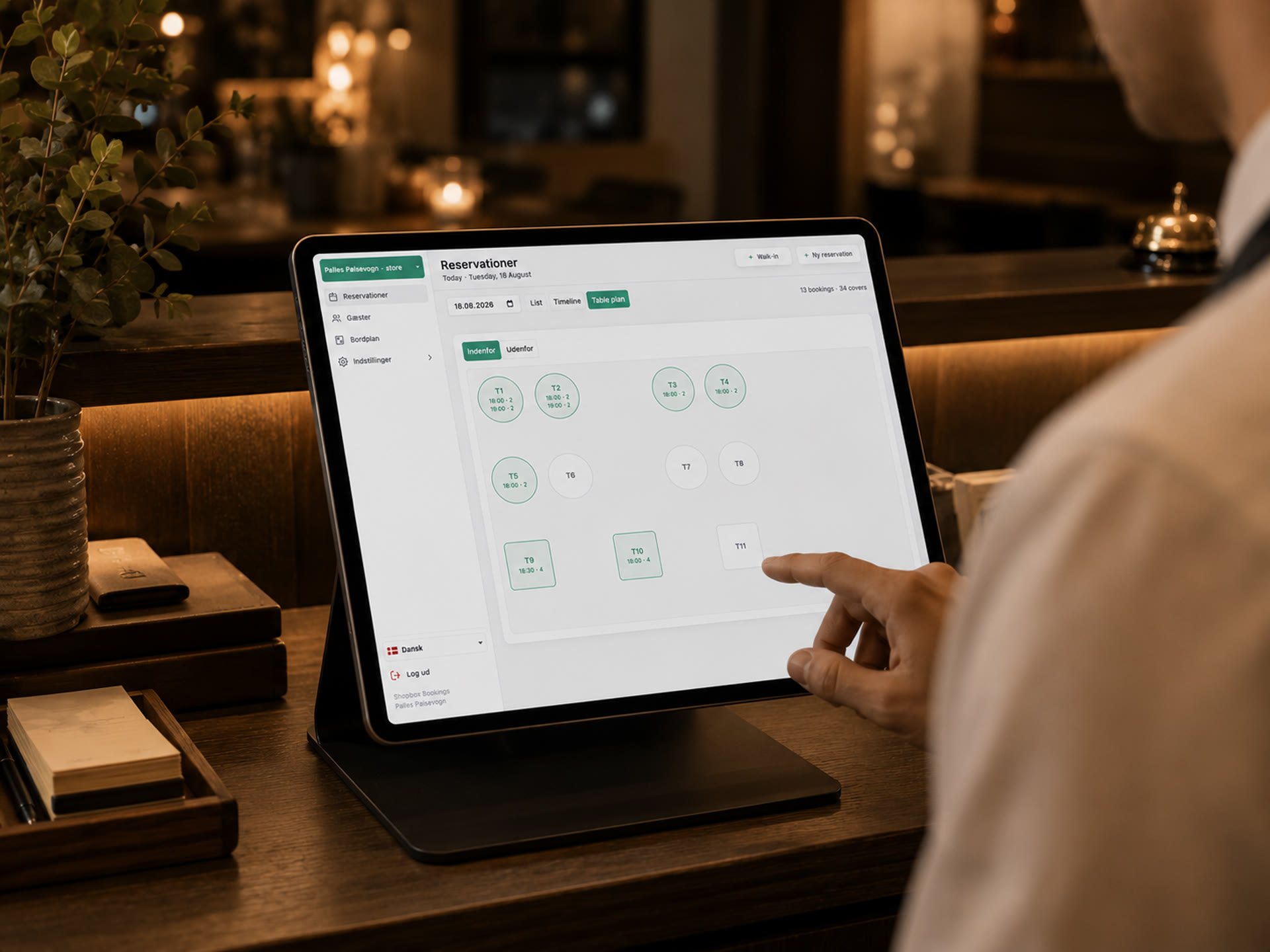
A back office for today's bookings, the table plan, guests and settings.
Guests
A booking page that works on any phone and can sit on the restaurant's own website.
The Shopbox till
Sign in with your Shopbox login and bring in the table plan from the till.
2

Bookings
Today's bookings
Three views
See the evening as a list, a timeline or a table plan.
Quick actions
Seat guests, finish the table or mark them as a no-show.
Phone bookings and walk-ins
The system finds a free table by itself.
3
Table plan
Move guests between tables
The whole room at a glance
Busy tables are coloured, free ones stay white.
Drag to move
Drag a booking to another table. If that table is taken, the move is refused.
Every room
Switch between the dining room, the terrace and other rooms.
4
5
Floor plan
Lay out the room
Drag and drop
Place round and square tables where they really stand.
Bar and pillars
So staff can find "the table by the bar".
Fill order
Choose which tables fill first, and which can be pushed together.
Import from Shopbox
If the restaurant has a table plan in the till, it can be brought in.
Online booking
Guests book for themselves
Step by step
Party size, date, room, time and name.
Confirmation by e-mail
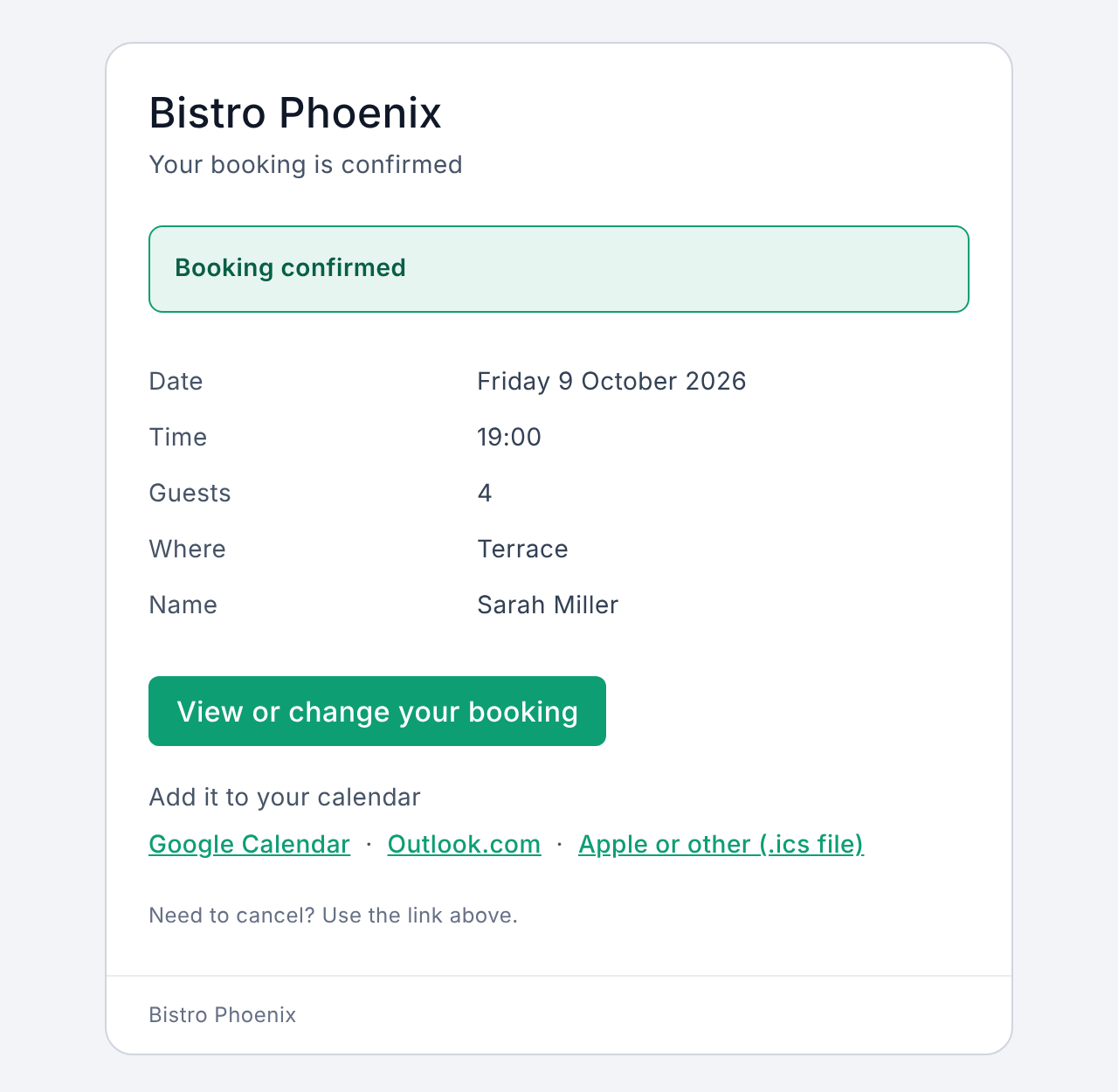
With calendar links, and guests can cancel themselves.
On the restaurant's website
As a link, a button or right on the page. In Danish, Norwegian and English.
6
Waiting list 1/2
When the evening is full
A waiting list instead of a no
When a guest taps a taken time, they can join the waiting list.
Their own window
The guest picks the times that would suit them.
7
Waiting list 2/2
When a table frees up
Everyone hears at once
Everyone on the waiting list gets an e-mail straight away.
The table is held
For 30 minutes only people from the waiting list can take it.
First come, first served
The first to answer gets the table.
8
E-mails
E-mails to guests and the restaurant
| Message | When it goes out |
|---|---|
| Confirmation | When the booking is made |
| Reminder | Before arrival, e.g. the day before |
| Table offer | When a table frees up |
| New booking | To the restaurant, if it wants it |
In Danish, Norwegian or English. Sent through Mandrill, which Shopbox already uses.
9
Guests
Guest list
Builds itself
Everyone who books is added to the list automatically.
Regulars at the top
Sort by visits, no-shows or last visit.
Edit and add notes
Fix name, e-mail and phone. Note allergies or a favourite table.
10
Settings
The restaurant sets its own rules
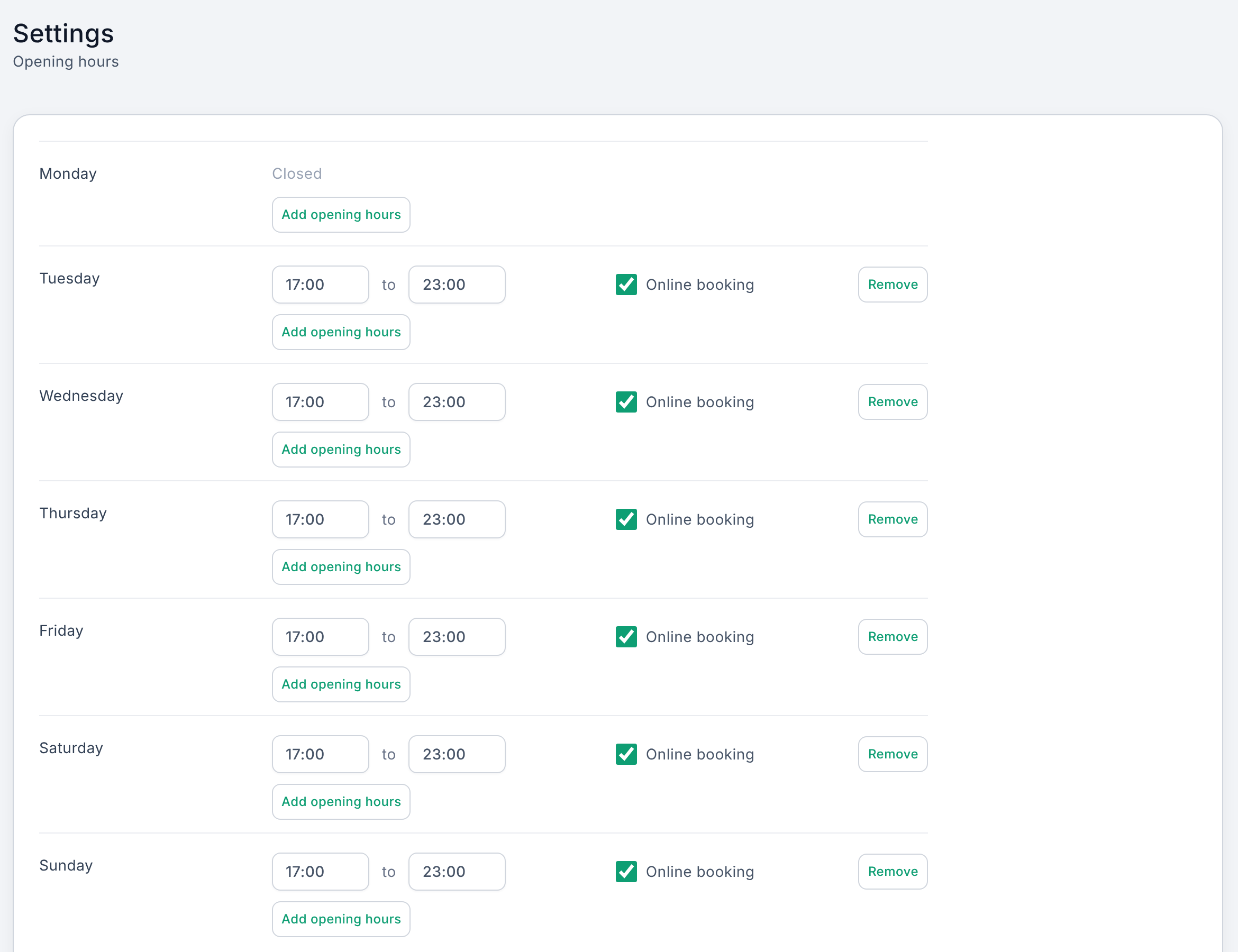
Opening hours
For example lunch and dinner. Choose for each whether guests can book online.
Seatings
For example two sittings at 17:30 and 20:00.
Closures and periods
For example Christmas Eve, or a season with other opening hours.
Booking rules
How long guests keep the table, and how large a party can book online.
11
Staff
Everyone gets their own login
Add the team
Name, e-mail and a password to hand over.
Two roles
Users handle bookings and guests. Admins can also change settings and the table plan.
Edit or remove
The pen edits details and role, the bin removes access.
12
Getting started
Up and running
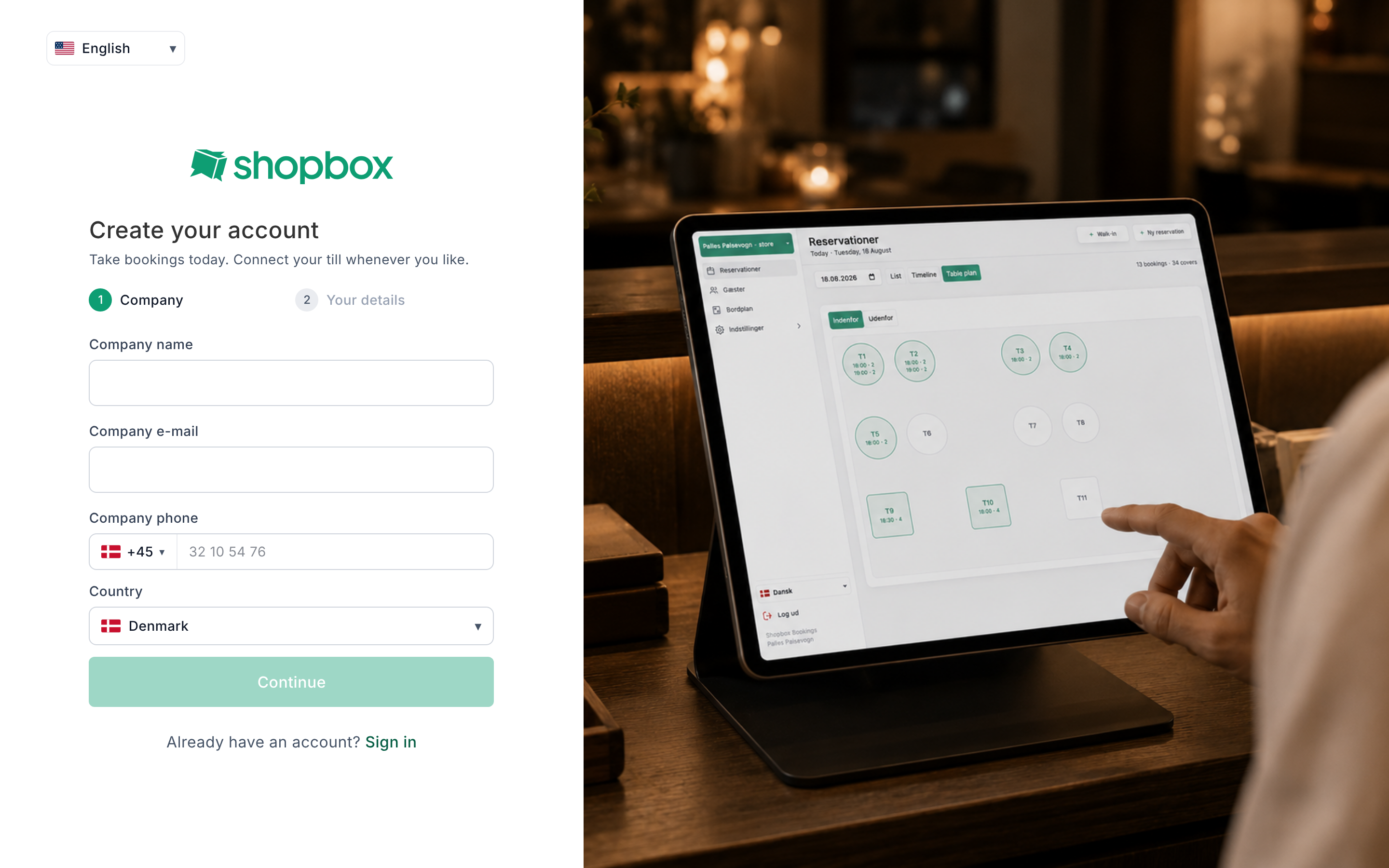
Sign up in two steps
Company, then your own details. Ready for bookings the same day.
Sign in with Shopbox
With the same login as the till.
Several venues
Switch between venues from the menu.
13
Development
Built with AI
313
automated tests
27
browser tests on desktop, tablet and phone
8
videos in this presentation, recorded automatically
Fixed rules
The code is structured the same way everywhere, so new work fits in.
Tests
Every change is tested before it goes live.
Material in no time
Demo data and videos are made automatically, like in this presentation.
14
Status
Where are we?
Working today
- Everything shown in this presentation
- Shopbox login and table plan import
Next steps
- Choose and connect an SMS provider
- Integration with Shopbox's API, so tables and bookings reach the till
- Pick pilot restaurants to test the product
15
Shopbox Bookings
Thank you
Questions are very welcome.
Marcel Staal